Best Places to Buy Social Media Accounts in 2026

If you buy digital accounts for work, the hard part is rarely “finding a listing.” It’s picking a marketplace you can check twice: delivery format, support path, payment options, and whether the catalog still looks alive next month.
This guide stays practical. It covers what to verify before you fund a wallet, where Accplanet fits as a supplier marketplace, and a short path from register to first order.
In short
- Compare delivery speed, listing detail, support, and replacement terms before you deposit.
- Accplanet is a supplier aggregation marketplace: suppliers fulfill listings; the site handles browse, checkout, orders, and tickets.
- Crypto recharge is available for global buyers; prices and stock change by listing.
- Read the product page for format, region notes, and after-sales windows. Outcomes vary.
- API keys help repeat buyers automate lookups and orders without building a separate storefront.
What to check in any marketplace
Before you compare brands, write down the checks that actually protect your time.
| Check | Why it matters |
|---|---|
| Delivery format | Know what lands in the order: login, recovery fields, cookies, notes. |
| Stock freshness | Live inventory beats screenshots of last month’s catalog. |
| Support path | Ticket or chat with an order ID beats a silent Telegram handle. |
| Replacement terms | Read the window and what counts as a valid claim. |
| Payment options | Crypto helps cross-border teams; confirm networks and exact amounts. |
| Supplier visibility | You should see who you are buying from, not a mystery pool. |
Where Accplanet fits
Accplanet sits between buyers and multiple suppliers. You browse screened listings, recharge a wallet, place orders, track delivery, and escalate through tickets when something is wrong.
What buyers usually notice first:
- Catalog coverage across email and social categories (Gmail, TikTok, Instagram, Facebook, Hotmail/Outlook, Twitter/X, and more)
- Automated delivery on many listings after payment clears
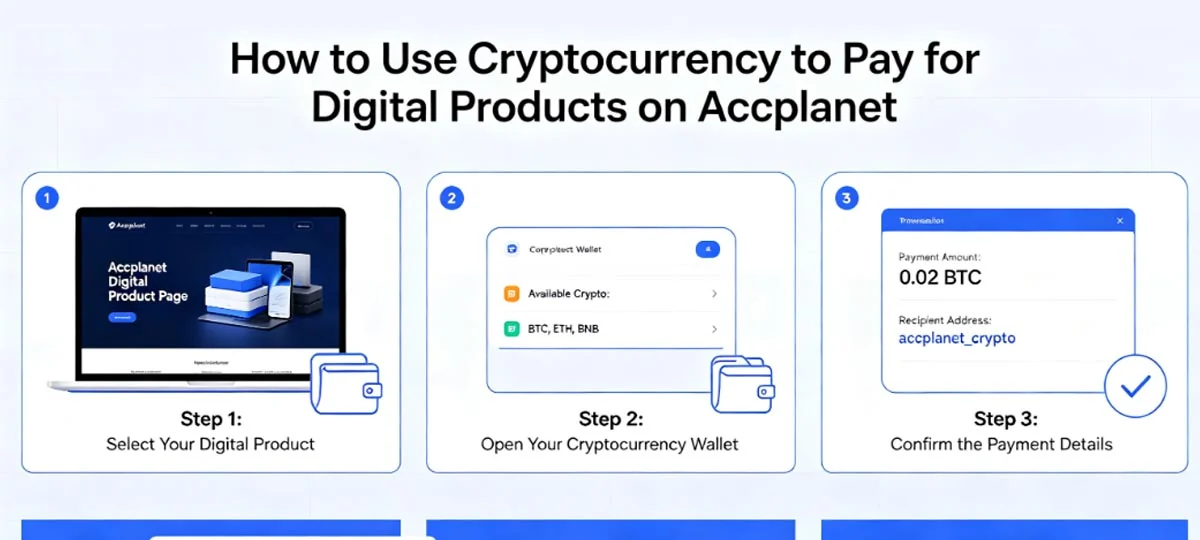
- Crypto recharge for teams that cannot use local cards everywhere
- Customer API for product lookup and repeat purchasing
- Shop tools for verified suppliers who want their own storefront on the marketplace
Create a free account · Browse categories
Categories buyers usually start with
Match the category to the job, then compare two suppliers inside that category.
- Gmail / Outlook / Hotmail — check age notes, delivery fields, and any recovery instructions on the listing
- TikTok — confirm region and verification notes on the current product page · TikTok listings
- Instagram — aged vs fresh, phone-verified claims, follower context when listed
- Facebook — personal vs business-manager style listings; read scope carefully
- Twitter / X — age and history notes matter more than vanity counts
Full catalog: https://accplanet.com/en/products/categories/
Getting started
1 · First
Register — Create your Accplanet account.
2 · Recommended
Recharge — Add wallet balance via crypto or other available methods on the recharge page.
3 · Recommended
Browse — Use categories or featured products, then open the listing details.
4 · Optional
API buyers — Generate a key from your profile when you are ready for programmatic orders.
For suppliers
If you already fulfill inventory, Accplanet lets verified sellers open a shop, upload stock, and sell through marketplace checkout. Buyers still see order tracking and support on Accplanet’s side.
Buyer checklist
- [ ] Compared at least two listings in the same category
- [ ] Read delivery format and replacement window
- [ ] Confirmed payment network and exact amount
- [ ] Saved order ID after purchase
- [ ] Tested support path on a small order before bulk buys
FAQ
Is Accplanet the supplier of every account?
No. Accplanet is the marketplace. Suppliers list and fulfill. Always check the listing and shop details for the product you buy.
Do crypto payments credit instantly?
Balance updates after network confirmation. Timing depends on the coin and chain congestion. Keep the tx hash.
What if a delivered login fails?
Open a ticket with the order ID, exact error text, and screenshots. Follow the listing’s replacement terms. Do not spam rapid retries while waiting.
Can I automate purchasing?
Yes, via the customer API for product lookup and order workflows. Use it for compliant procurement, not abuse automation.
Next step: browse the live catalog and compare two suppliers in your real category before you scale.