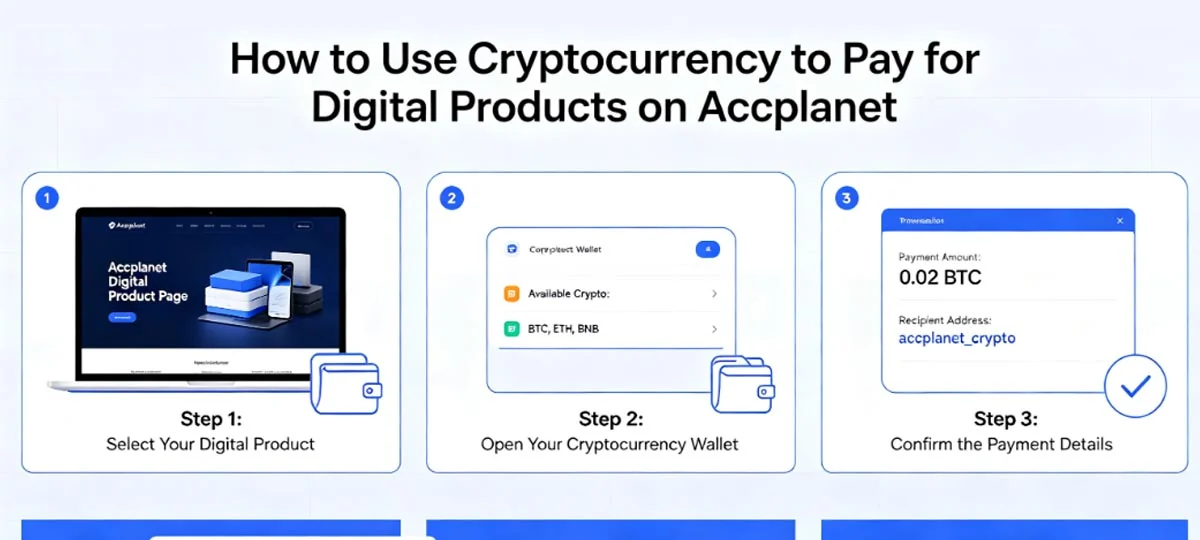
How to Use Cryptocurrency to Pay for Digital Products on Accplanet

Crypto is a common way to fund an Accplanet wallet when cards or local banks are awkward. This walkthrough covers the recharge flow, which coins show up often, and a few habits that prevent stuck deposits.
Nothing here is financial advice. Follow the amounts and addresses shown on your live recharge page.
In short
- Register, open Recharge, pick a coin/network, send the exact amount to the address shown.
- USDT on TRC20 is often chosen for lower fees; still confirm the network on screen.
- Credits appear after confirmations. Keep the transaction hash.
- Wrong network or wrong amount is the usual cause of delay.
- After balance updates, buy from the catalog with wallet funds.
Step-by-step recharge
1 · First
Create an Accplanet account
Sign up, then sign in. Register here.
2 · First
Open Recharge
Go to your wallet and start a deposit. Recharge page.
3 · Recommended
Choose coin and network
Pick Bitcoin, USDT (TRC20/ERC20 when offered), Ethereum, Litecoin, or another option listed at checkout. The network must match your wallet send screen.
4 · Recommended
Enter the USD amount
Set how much balance you want. The page shows the crypto amount to send.
5 · Caution
Pay the exact amount to the shown address
Copy the deposit address carefully. Send only the amount displayed for that order. Do not reuse an old address from a previous deposit unless the page explicitly says to.
6 · Optional
Wait for confirmation
Many deposits settle in minutes; busy networks take longer. Save the tx hash as your receipt.
7 · Recommended
Shop with wallet balance
When funds show up, browse and buy. Categories · Featured products.
Coins buyers usually pick
- Bitcoin (BTC) — widely held; confirmation time depends on fee and mempool.
- USDT — dollar-pegged; TRC20 is often cheaper than ERC20, but only use the network Accplanet shows for that deposit.
- Ethereum (ETH) — common for teams already holding ETH; watch gas.
- Litecoin (LTC) — often used when fees and speed matter.
Availability can change. Trust the live recharge UI over this list.
Why teams use crypto here
- Works across borders without a local card on every machine
- Fewer bank chargeback loops on digital goods
- Settlement measured in network confirmations, not bank days
- Useful when accounting wants a clear on-chain receipt (tx hash)
Tips that prevent delays
- Prefer the network the page labels for lowest friction (often USDT TRC20 when offered).
- Paste the address once, then verify the first and last characters.
- Send the exact amount. Over/under pays confuse automatic matching.
- Store the tx hash before you close the wallet app.
- If balance is missing after a long wait, open a ticket with order/deposit ID + tx hash.
Deposit checklist
- [ ] Logged into the correct Accplanet account
- [ ] Coin and network match the recharge screen
- [ ] Address and amount verified
- [ ] Tx hash saved
- [ ] Balance checked before placing product orders
FAQ
How long until my balance updates?
After enough network confirmations. Quiet periods can be minutes; congested chains take longer. The recharge page status is the source of truth.
I sent the wrong amount. What now?
Open support with the deposit ID and tx hash. Do not send a second payment “to fix it” unless support asks you to.
Can I pay a product order directly in crypto without a wallet?
Accplanet checkout typically spends wallet balance. Recharge first, then buy. If a listing shows another flow, follow that product page.
Which coin should I use?
Use what you already hold and what the recharge page supports. Many buyers pick USDT TRC20 for fees, then switch if their treasury prefers BTC or ETH.
Ready when you are: recharge with crypto, then browse categories.