
Customer API Quick Start: Integrate Accplanet /api/v2 in One Loop

If you buy on Accplanet programmatically, you do not need a different API for every action. The Customer API uses one endpoint — POST https://accplanet.com/api/v2 — and an action parameter. This guide is a practical quick start so a developer can list catalog items, check stock, place an order, and poll status in one sitting.
Accplanet is a supplier aggregation marketplace. Suppliers fulfill inventory; Accplanet provides discovery, checkout, order tracking, and support. Use the API for legitimate order management only. Full reference: Customer API docs.
In short
- All customer calls go to
POST /api/v2(no/en/prefix) withkey/apikey+action. - Typical path:
balance→categories/shops/services→inventory→add→status. - Send
application/x-www-form-urlencodedor JSON. Never put keys in URLs or front-end code. - Respect
available,min/max, wallet balance, and HTTP429/Retry-After. - Keep the live docs open while you integrate — field details can evolve with the catalog.
Auth and endpoint
Create or copy your customer API key from your Accplanet profile API key page, then call:
POST https://accplanet.com/api/v2

{
  "key": "YOUR_API_KEY",
  "action": "categories"
}
Supported actions: categories, shops, services, inventory, add, status, balance.
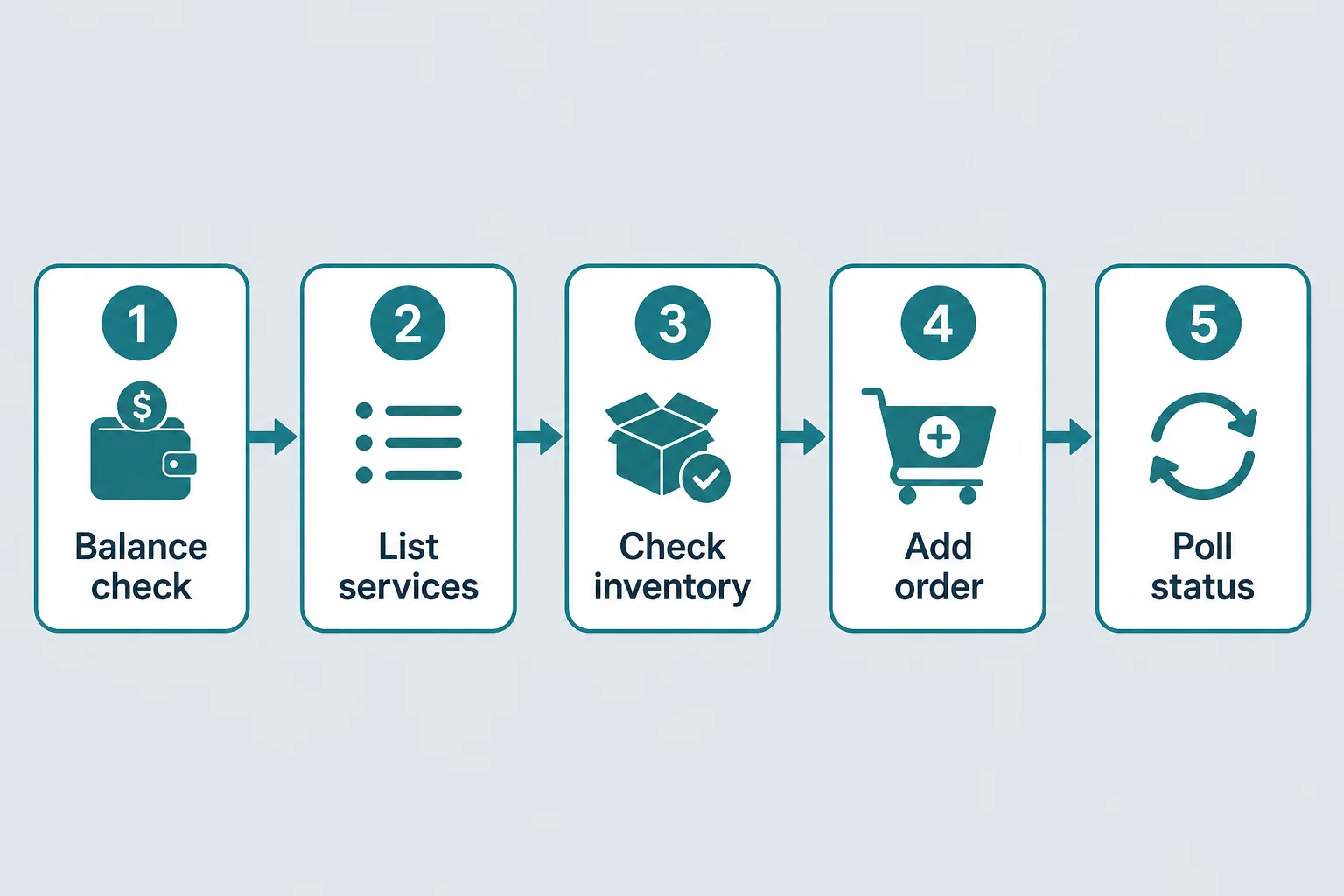
Integration ladder
Stop when each step returns a clean response before moving on.
1 · First
Confirm balance
action=balance returns wallet balance and currency (USD). Top up in the dashboard if the balance cannot cover a test order.
2 · Recommended
Discover catalog structure
action=categories returns parent categories and subcategory names. Use those exact strings later as category / subcategory filters on services.
action=shops lists public supplier shops. Pass a shop’s shop ObjectId into services when you want one storefront only.
3 · Recommended
List services (products)
action=services returns sellable items with service ID, rate, stock, available, min/max, and optional filters (shop, category, entityType, sort, language, pagination). Prefer available=true and stock that meets min before ordering.
4 · Recommended
Re-check inventory
action=inventory with one service ID or comma-separated IDs (max 50) confirms live stock. Useful right before add on hot SKUs.
5 · Place and track
Add order, then poll status
action=add with service and quantity charges the wallet and returns order, charge, currency (HTTP 201). Poll action=status with that order ID for progress and delivered payload when complete.
| Action | Job | Must-have fields |
|---|---|---|
balance |
Wallet check | key |
categories / shops |
Discovery | key |
services |
Catalog + pricing | key (+ filters optional) |
inventory |
Stock snapshot | key, service |
add |
Create order | key, service, quantity |
status |
Fulfillment read | key, order |
Copy-paste curl recipes
# Balance
curl -X POST https://accplanet.com/api/v2 -d "key=YOUR_API_KEY" -d "action=balance"

# Services page
curl -X POST https://accplanet.com/api/v2 \
  -d "key=YOUR_API_KEY" -d "action=services" -d "page=1" -d "limit=50"

# Inventory
curl -X POST https://accplanet.com/api/v2 \
  -d "key=YOUR_API_KEY" -d "action=inventory" -d "service=10042"

# Add order
curl -X POST https://accplanet.com/api/v2 \
  -d "key=YOUR_API_KEY" -d "action=add" -d "service=10042" -d "quantity=1"

# Status
curl -X POST https://accplanet.com/api/v2 \
  -d "key=YOUR_API_KEY" -d "action=status" -d "order=YOUR_ORDER_ID"
Replace placeholders with your key, a real service from services, and the order returned by add. Start with quantity 1 on a low-cost test item.
Errors and rate limits
- Invalid credentials → HTTP
401with{"error":"Invalid API key"}. - Validation / stock / balance issues → usually HTTP
400with a singleerrorstring (e.g. insufficient stock or balance). - Rate limit → HTTP
429withRetry-After. Back off and retry. - Default services page size is 50 when paginating; use
limit=0only when you intentionally want the full list.
Pricing, stock, and availability change with live listings. Always re-read services / inventory before automated buys.
Buyer checklist
- [ ] API key stored in a server secret manager
- [ ]
balanceOK for a small test order - [ ] Picked a
servicewithavailable=true - [ ] Quantity within
min/max - [ ] Persisted
orderID fromaddand pollstatus - [ ] Handled
429and wallet errors in code
Next step: open the Customer API documentation, run Test API once, then wire the same actions into your backend. Suppliers integrating catalog sync should read the companion supplier guide on Accplanet’s blog.
FAQ
Is the path language-prefixed?
No. Use https://accplanet.com/api/v2 — not /en/api/v2.
What identifies a product when ordering?
The service field from services (numeric catalog ID when assigned, otherwise a system string). Pass the same value to inventory and add.
Can I filter by shop or category?
Yes. Use names from categories and the shop ObjectId from shops as documented on the Customer API page.
When do delivered credentials appear?
On status, when fulfillment is complete and the product supports delivery payloads. Treat delivered data as secrets.