Manage Multiple Shops with Accplanet Shop Delegation

Set up Accplanet shop delegation for managed shops
Create a supplier shop, request or approve shop delegation, then switch managed shops in the Accplanet supplier panel.
-
Open an Accplanet supplier shop
Sign in at Accplanet, open the supplier panel, and finish basic shop setup.
-
Use Shop settings → Delegation
Request access to another supplier shop or approve incoming requests for your own store.
-
Switch managed shops
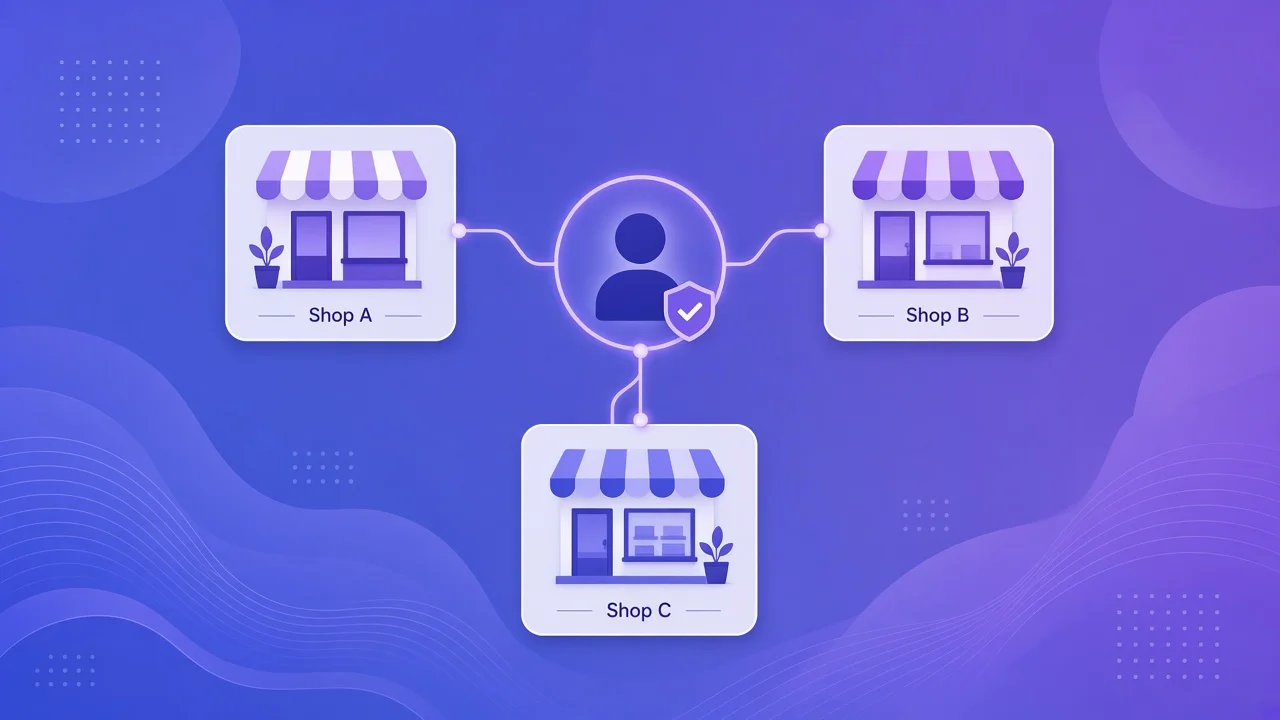
Use the supplier panel header to select My shop, a managed shop, or all managed shops, then operate products and orders.
New suppliers often ask: can one operator run more than one Accplanet shop without juggling five logins? Yes — with shop delegation and managed shops.
Accplanet is built for marketplace sellers who grow into multi-brand or multi-team setups. This guide explains why shop delegation helps you onboard faster, manage several storefronts from one supplier session, and keep day-to-day work in one panel. When you are ready, open Accplanet and start as a supplier.
In short
- Accplanet shop delegation lets one supplier account request access to another supplier’s shop.
- After approval, those stores appear as managed shops in your supplier panel.
- Switch between My shop, a managed shop, or all managed shops to handle products, orders, and tickets in one place.
- Financial data and each shop’s settings page still belong to the owning supplier account.
- New merchants: create your Accplanet supplier shop first, then add delegation as you scale.
Who this is for
Shop delegation is for suppliers who need to operate multiple merchant accounts without hiring a separate login ritual for every brand:
- Founders launching a second niche shop on Accplanet
- Operators trusted to run a partner’s Accplanet storefront
- Teams that want one person to switch managed shops during shifts
If you are still onboarding, start with one shop on Accplanet, learn the catalog and order flow, then map additional managed shops when you need them.
What shop delegation does
In product terms, Accplanet shop delegation is a request → approve → manage loop:
Request access
From your supplier account, send a delegation request to another supplier shop.
Owner approves
The shop owner accepts the request. The store becomes one of your Accplanet managed shops.
Switch and work
Use the supplier panel header to switch managed shop context — or view all managed shops together when you need an overview.
That is the Accplanet supplier multi-store model in practice: one login session, several storefronts under active delegation.
How to set up managed shops
1 · Join
Create or open your Accplanet supplier shop
Sign in at Accplanet, switch to the supplier role if needed, and open the supplier panel. New merchants should finish basic shop setup before requesting other shops.
2 · Delegate
Open Shop settings → Delegation
In the supplier panel go to Shop settings (path: /en/supplier/shop/settings/). Use the shop delegation section to request access to another supplier, approve incoming requests for your own shop, or manage active links. Optional nicknames help you label managed shops in the switcher.
3 · Operate
Switch managed shop from the panel header
After approval, use the commerce / managed-shop control in the supplier panel header to select My shop, a specific managed shop, or all managed shops. Then work products, orders, and tickets in that context — a true multi-shop supplier panel without leaving Accplanet.
Why new merchants use it
- Faster scale: launch brand B without rebuilding your entire ops habit.
- Clear ownership: each storefront still has an owner account; you operate through approved shop delegation.
- Less context switching: switch managed shop Accplanet-side instead of logging out and in.
- Team-friendly: trusted operators can run partner shops while owners keep financial control.
Important boundaries
Start on Accplanet
Shop delegation is most useful when you are already selling — or about to.
- Browse and join: https://accplanet.com/en/
- Supplier panel: https://accplanet.com/en/supplier/
- Delegation settings: https://accplanet.com/en/supplier/shop/settings/
- Automate listings later: Supplier API quick start
FAQ
Is shop delegation the same as sharing one password?
No. Accplanet managed shops use an approve/revoke delegation link between supplier accounts. Prefer delegation over shared passwords.
Can I see every shop’s payout in one balance?
No. Financial data stays with each owning supplier account.
Do I need this on day one as a new merchant?
Not required. Open one Accplanet shop first. Add shop delegation when you need to manage multiple supplier shops.
Where do I revoke access?
In Shop settings → Delegation, stop or revoke active managed-shop links when a partnership ends.